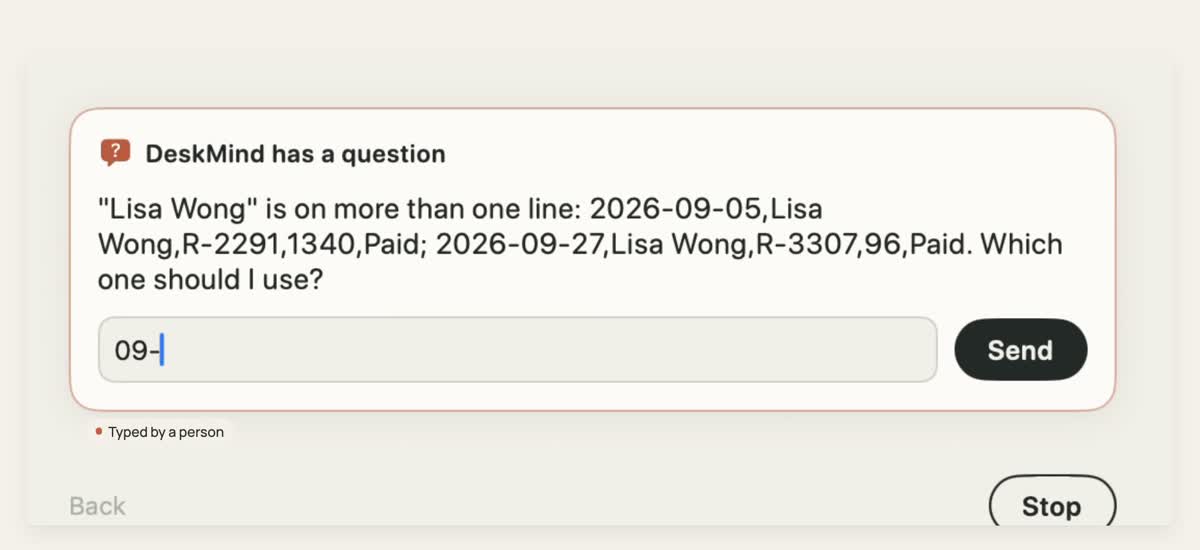
Two orders match — it asks which one before writing
“Find Lisa Wong’s order in records.txt and add it to ledger.csv as Date, Customer, Order, Amount, then save.”
Guessing would write the wrong row. Asking costs one sentence.

DeskMind reads the screen, works out the next step and acts, all with a small model on your Mac. When a task could mean two things, it asks you instead of guessing.
A 0.8B model decides each step and a 4B checks the hard ones. Both run on your Mac: no cloud round-trip, no per-step bill.
Each step is a multiple-choice question: the model scores every option instead of writing text, so each one gets a probability. Unsure steps go to the 4B or to you, and any agent can call it through /v1/systemone.
Eyes, Brain, Hands and the Mac app are all open source, along with Bench, which grades them. Every result lists its sample size, so you can reproduce it.
One loop, three parts, packaged in one app. A separate bench measures the whole loop on a real desktop.
Recorded with the released model. Waits are shortened in the videos; nothing else is cut.
“Find Lisa Wong’s order in records.txt and add it to ledger.csv as Date, Customer, Order, Amount, then save.”
Guessing would write the wrong row. Asking costs one sentence.
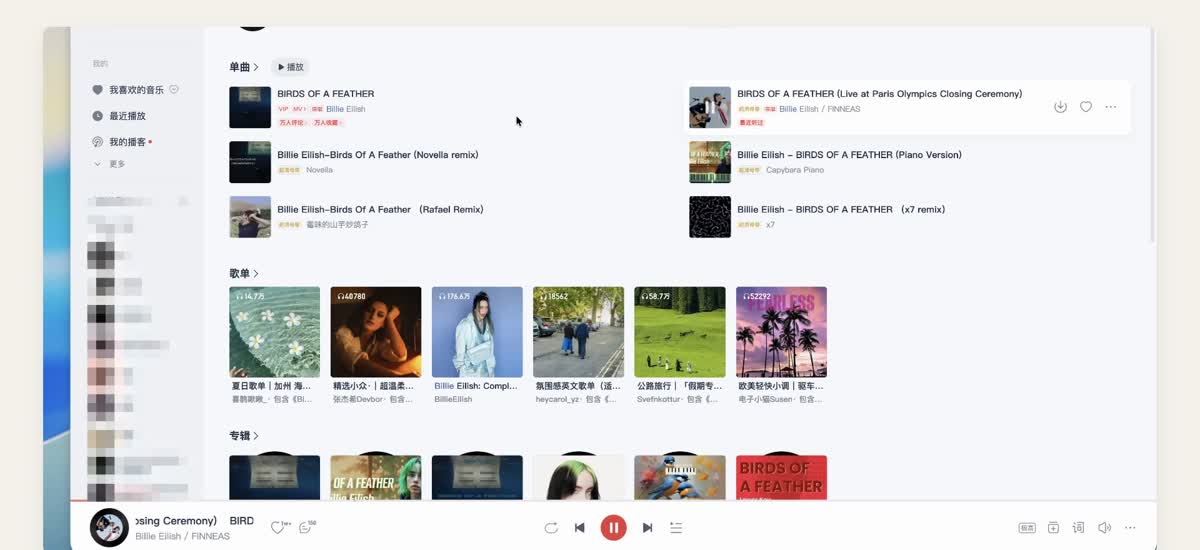
“Open NetEase Cloud Music, search Billie Eilish’s BIRDS OF A FEATHER and play the live version.”
No API, only pixels: it reads the screen and picks the live track from look-alike results.
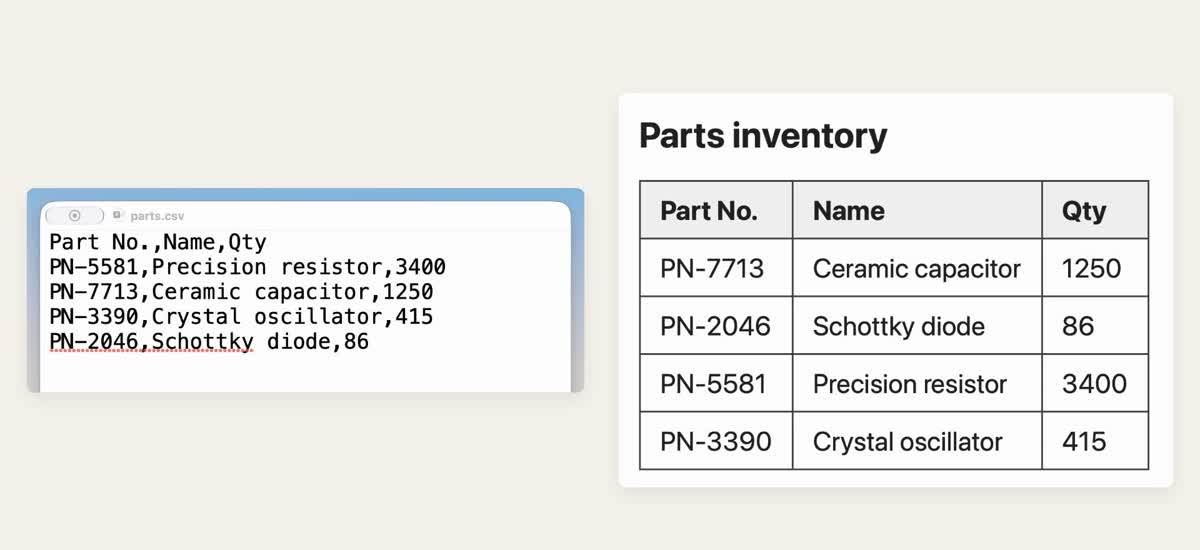
“Open parts.csv from the attached folder, append the table’s four rows sorted by Qty from high to low, then save and close it.”
Across two apps: read in Safari, open the file from a folder, write, save, close.
Measured on one Mac (M4 Pro, 48 GB) with the released 0.8B → 4B router. Small samples; we say where it still fails.
Graders check the final state of files and apps. Every attempt counts, environment failures are listed, and the bench is open.
All results and methods →Inference runs locally by default. Here is exactly when anything leaves your machine.

得心,应手。 Download the app, or start with the models and the code.